7.1 Kubernetes Architecture
What is a Container?
A container is a lightweight, standalone, and executable unit that includes everything required to run a piece of software—code, runtime, libraries, and dependencies. Unlike virtual machines, containers do not include a full operating system. Instead, they share the host machine’s kernel, making them highly efficient in terms of performance and resource usage.
How Containers Work
Containers provide process and filesystem isolation by packaging applications and their dependencies. While they run in isolated environments, they rely on the host operating system for system-level resources. This architecture allows multiple containers to run reliably across different computing environments.
Benefits of Using Containers
-
Performance and Lightweight Execution
- Containers start quickly as they do not require a full OS.
- They include only the application code and minimal dependencies, resulting in efficient resource utilization.
-
Efficient Resource Management
- Containers share the host OS kernel, avoiding the overhead of virtualized hardware.
- They consume less memory and CPU compared to virtual machines.
-
Portability Across Environments
- Containers run consistently across various environments (e.g., developer machines, test servers, cloud infrastructure) as long as containerization tools like Docker are supported.
-
Improved Isolation and Security
- Each container runs in an isolated environment.
- Failures in one container do not affect others, enhancing system reliability.
What is Docker?
Docker is a platform designed to simplify the creation, deployment, and management of containers. It provides a standardized way to package applications and their dependencies into containers, ensuring consistent execution across different environments.
Why Docker is Important
Without Docker, developers often face challenges due to discrepancies between development and production environments. Docker addresses this issue by encapsulating applications in containers that behave the same regardless of the underlying system.
How Docker Works
Docker acts as a container engine that facilitates the building, distribution, and execution of containers. It uses Dockerfiles to define container images and provides tools for orchestrating containerized workloads efficiently.
Key Advantages of Docker
-
Portability
- Docker containers run consistently across desktops, servers, and cloud platforms.
-
High Performance
- Containers are faster to start and require fewer resources than traditional virtual machines.
-
Simplified Automation and Sharing
- Dockerfiles allow developers to automate the build and deployment process.
- Images can be shared through Docker Hub or private registries.
-
Consistency and Reliability
- Containers help eliminate issues caused by inconsistent environments by ensuring that applications behave the same way everywhere.
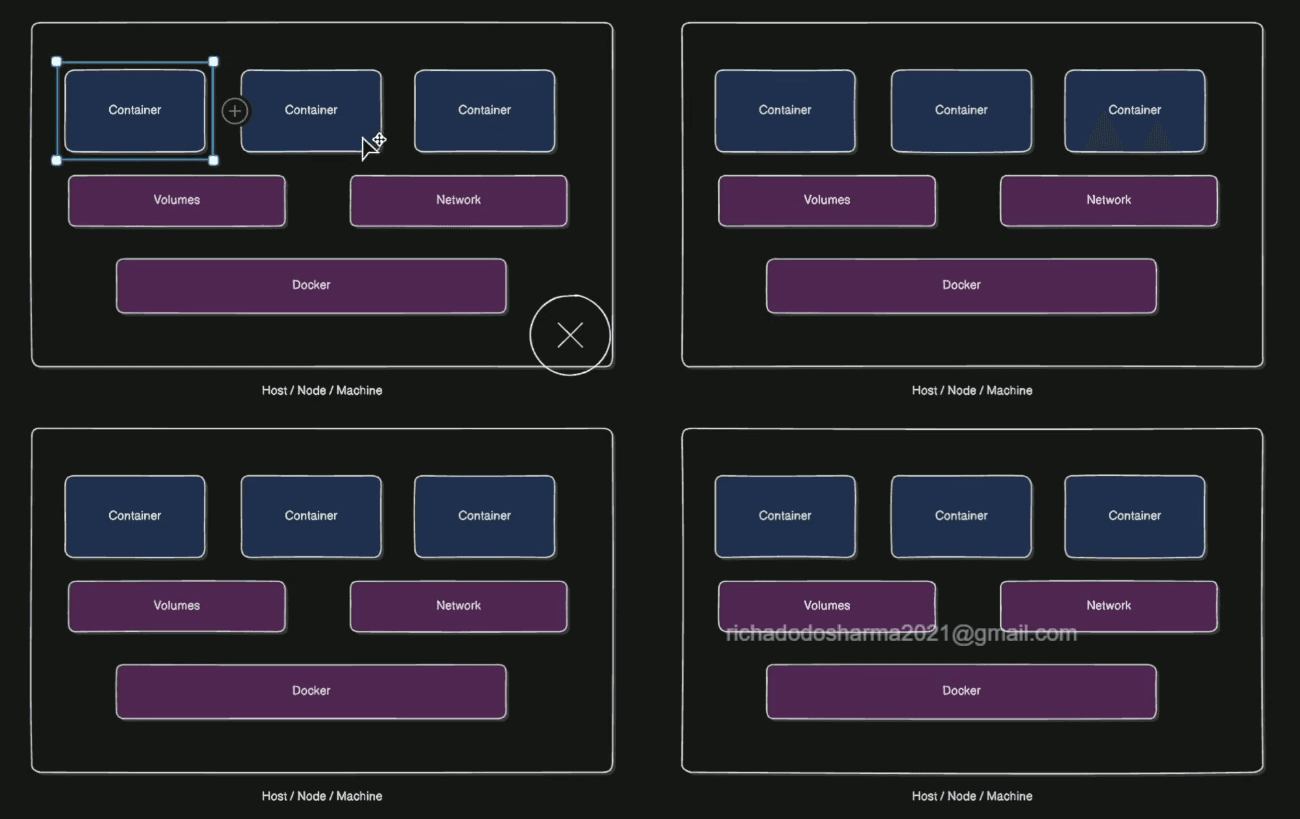
Diagram: Docker Container Concept
[!CAUTION]
Advises about risks or negative outcomes of certain actions.